
Why customer-supplied artwork causes production problems
Most customers are not designers. Even when artwork looks acceptable on screen, technical issues surface during output.

Common problems found in customer files
Low-resolution raster images scaled beyond safe limits
Missing or unlicensed fonts
Incorrect document size or scale
RGB colors used for print workflows
Embedded images with no source links
Inconsistent alignment and spacing
Files built in Canva, PowerPoint, or Word
Each issue increases revision cycles and introduces risk during printing or installation.
What production-ready sign artwork actually means
A production-ready file is a technical deliverable, not a creative concept.
Characteristics of production-ready artwork
Correct physical dimensions or known scale ratio
Vector elements where possible
Outlined fonts or packaged font sets
Normalized color definitions
Bleed and safe areas included when required
Clean layer structure with logical naming
Exports matched to output equipment
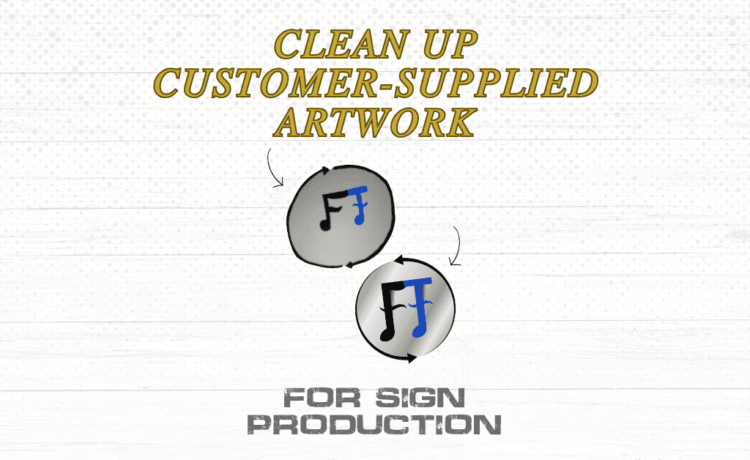
Cleaning customer artwork means achieving this state without altering visual intent.
Step-by-step process to clean up customer artwork
Step 1: Identify the file’s true origin
Determine how the artwork was created before editing.
Common origins include Canva exports, office documents, flattened PDFs, or images pulled from email or websites. Knowing the origin helps decide whether cleanup or rebuild is more efficient.
Step 2: Verify size, scale, and effective resolution
Confirm final output size first.
Check artboard size, scale ratio, and effective resolution at final dimensions. Large-format signage tolerates lower resolution, but files still need enough data to avoid visible pixelation.
If resolution is insufficient, document the risk and notify the customer early.
Step 3: Convert fonts and text elements correctly
Text issues cause frequent production errors.
Best practice includes converting fonts to outlines after copy approval, removing unused styles, and avoiding live text in final production files. Keep an editable working file separate from production exports when future edits are likely.
Step 4: Clean up layers and file structure
Disorganized layers slow revisions and confuse production staff.
A clean file uses logical layer names, grouped elements, removed hidden objects, and minimal clipping masks. This step alone can significantly reduce revision time.
Step 5: Normalize colors for print and fabrication
Customer files are often screen-based.
Convert RGB values to appropriate print colors, standardize spot colors when required, and remove unused swatches. Color normalization reduces surprises during printing and installation.
Step 6: Decide when rebuilding is the better option
Not every file should be repaired.
Rebuild artwork when resolution is too low, when multiple exports have degraded quality, or when recreating the layout is faster than repairing it. Rebuilding is technical reconstruction, not redesign.
Set this expectation early to avoid conflict.
Step 7: Export correctly for production
Final export settings matter.
Ensure the correct file format, outlined fonts, embedded or linked images, resolved transparency, and proper bleed. A consistent export checklist prevents last-minute errors.

How proper cleanup reduces revisions and delays
A defined cleanup process reduces back-and-forth emails, production holds, material waste, and installer frustration. Shops that standardize this step move faster and protect margins.
When to outsource sign artwork cleanup
Outsourcing makes sense when internal staff is overloaded, cleanup interrupts fabrication, senior designers are stuck fixing files, or workload spikes unexpectedly.
Task-based support focused on cleanup and preparation allows shops to stay focused on production without adding staff.
Closing
Customer artwork will never arrive perfect. A clear, repeatable cleanup process turns unpredictable inputs into reliable production files.
If file cleanup and preparation consume more time than expected, this is the type of work often handled through quiet, per-item overflow support rather than expanding headcount.

Ronnie Lee Roberts II is a part owner and principal of R.L. Roberts II Design, LLC, a design and documentation studio focused on production-ready graphics and structured compliance materials. His background combines quality management, technical documentation, and professional graphic design, supporting work built for operational use rather than presentation alone. His portfolio includes sign shop overflow support, naval base maps and facilities graphics, home service company materials, and custom compliance documentation, along with work for mission-driven organizations such as The Arc and United Way. His work emphasizes clarity, consistency, and efficiency across print, digital, and regulated environments.